Skip to content

Every episode analysed. Every finding with a Timecode.

screencurve watches your material and writes the Formatbibel: dramaturgy, characters, visual language and compliance, each finding with its frame and Timecode.

  • Processing in the EU
  • No training on your material
  • German, English, Italian

Stills, scaled down, from four Blender Foundation open movies, CC BY 3.0. Film credits

Format knowledge comes from screening. Afterwards it sits in notes and heads, and every new question starts another screening.

The analysis sits next to the material.

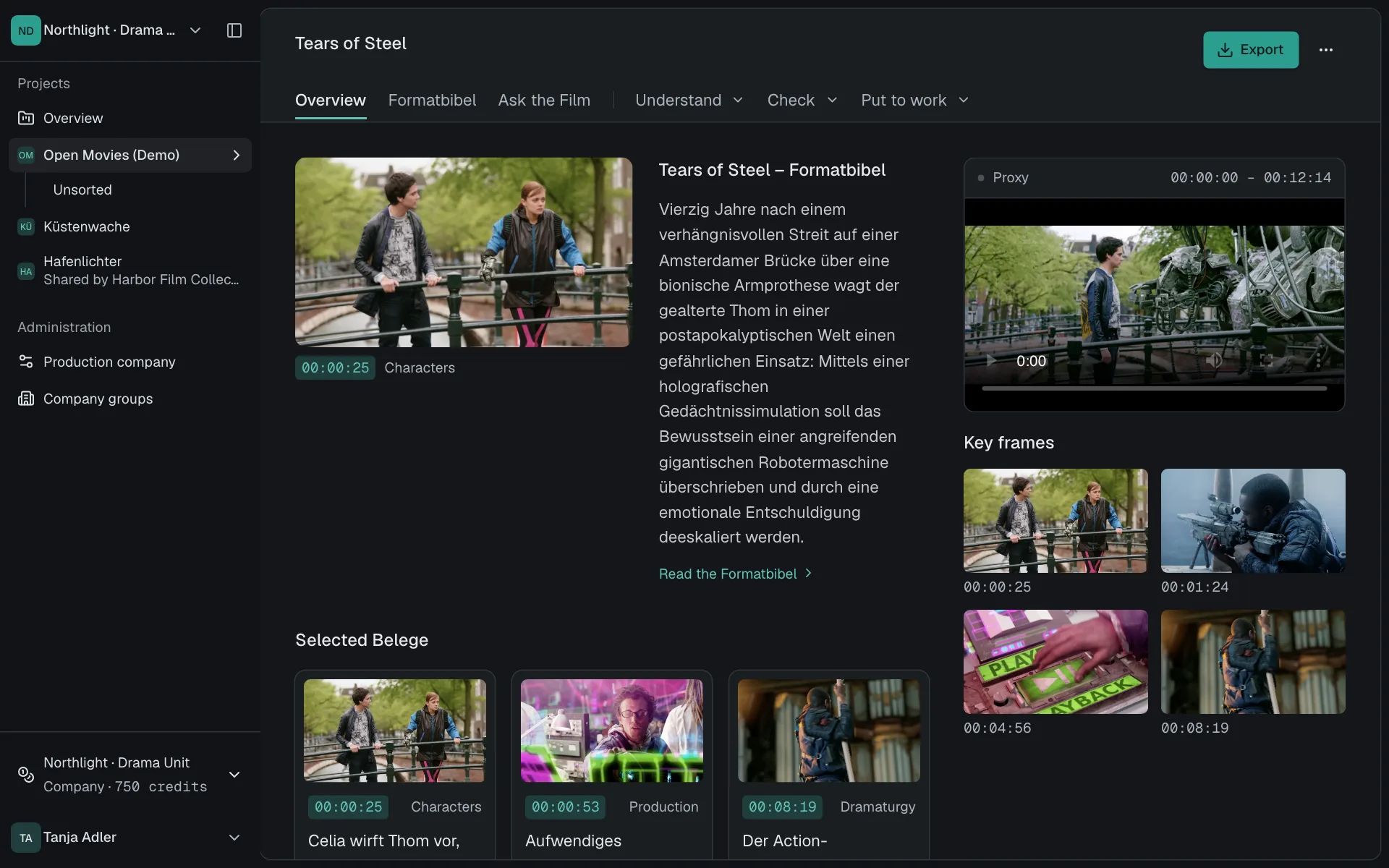
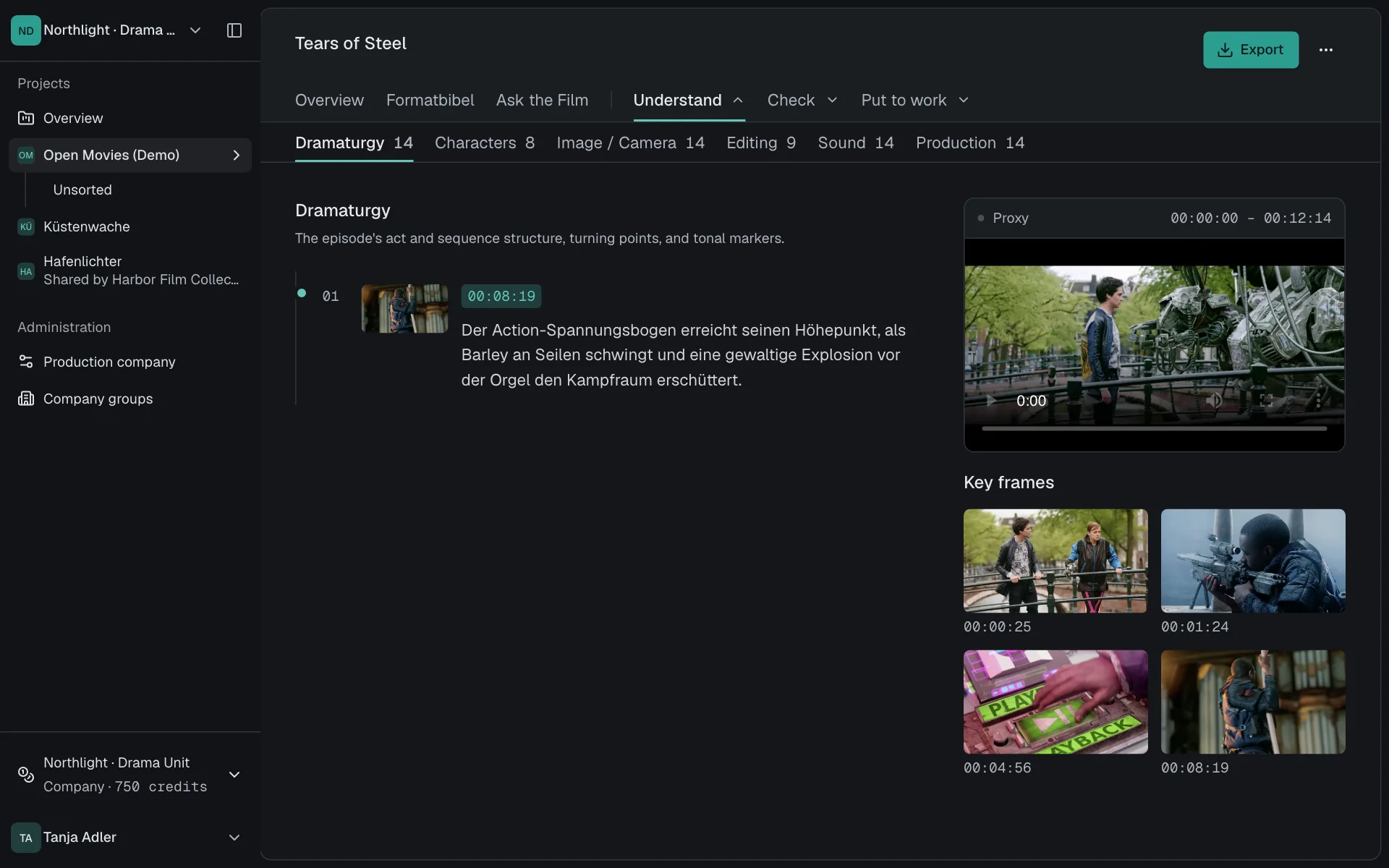
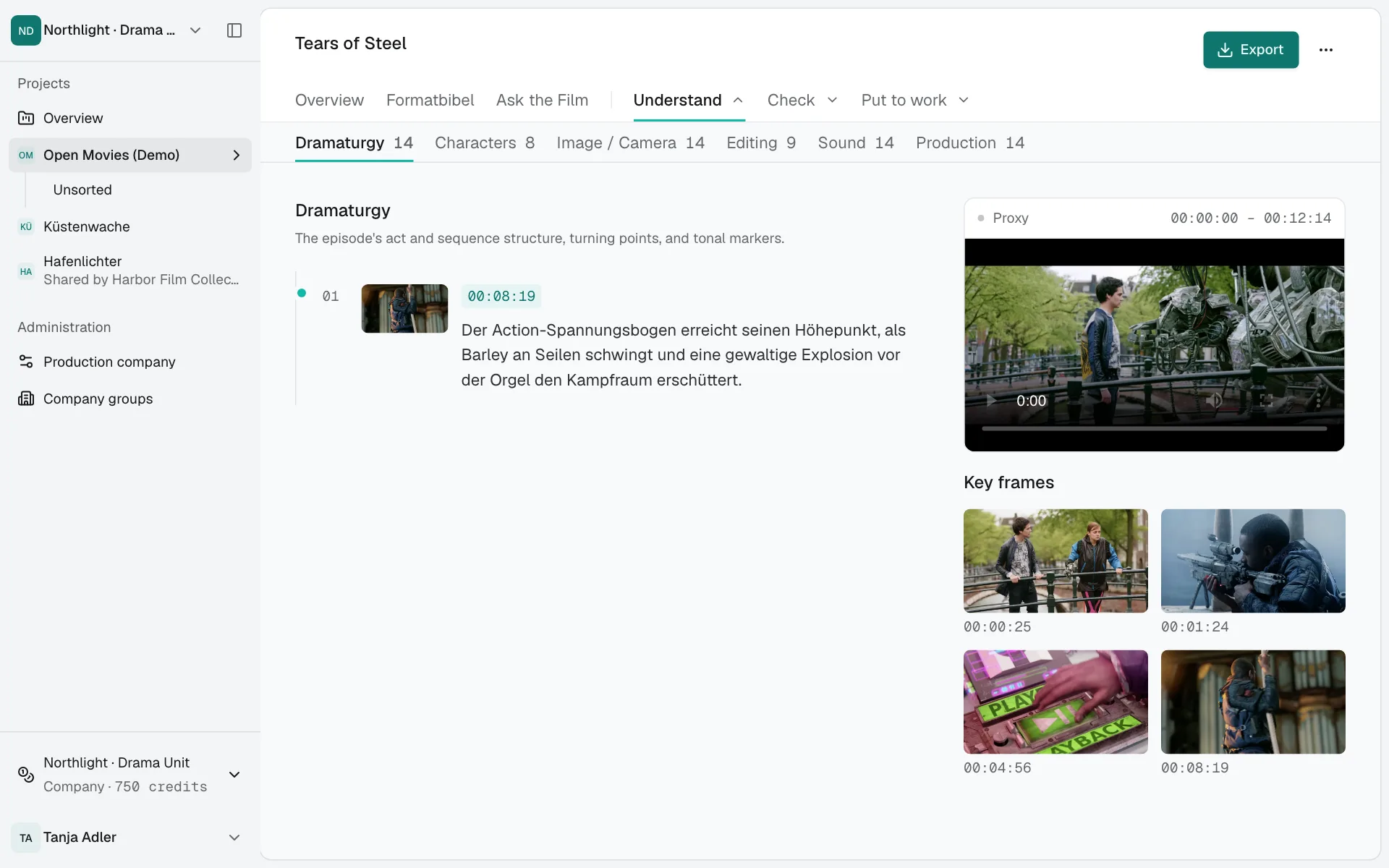
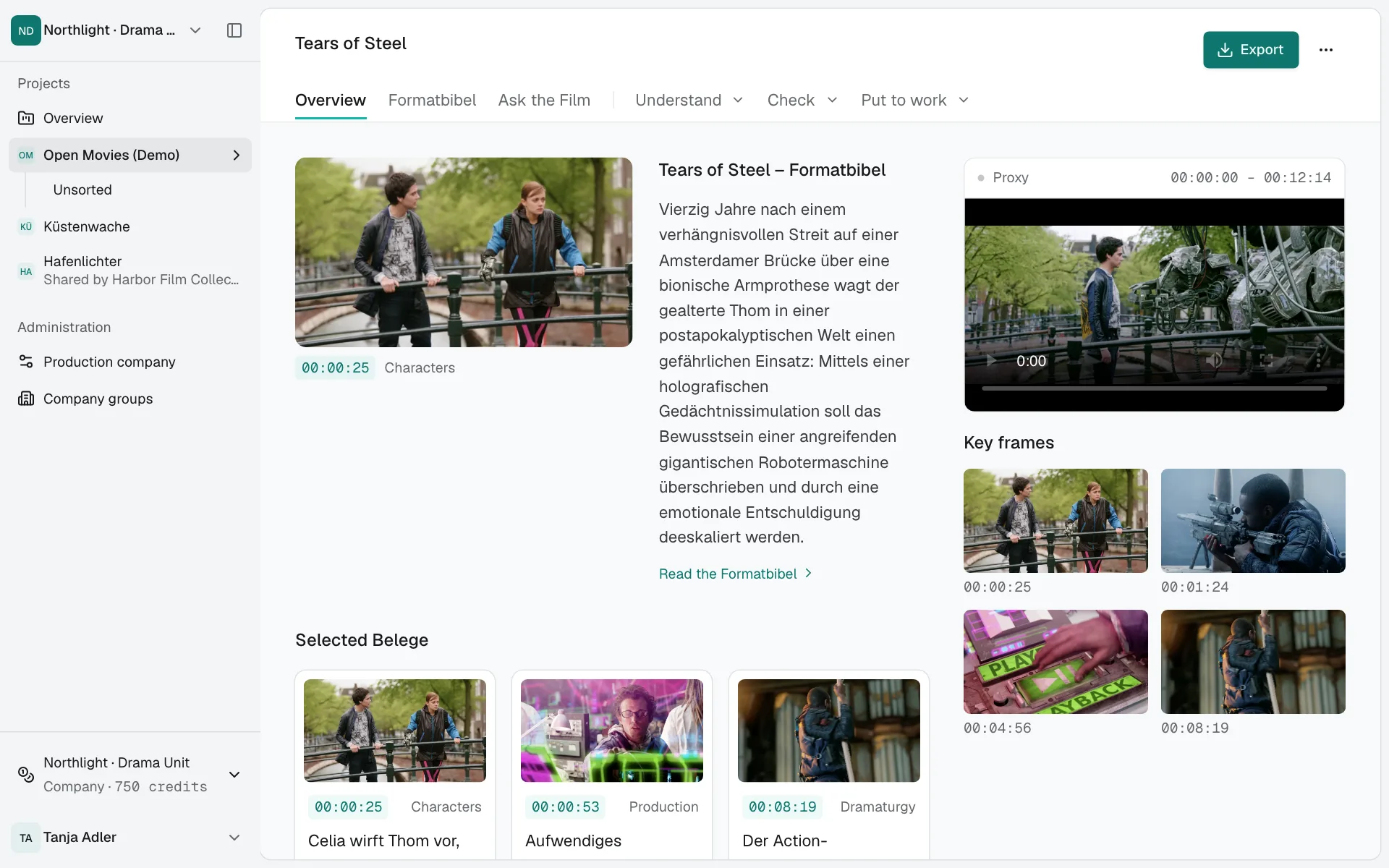
Player, Belege and chapters in one view. Click a Timecode and the player jumps there, with the frame beside it.

Overview of an analysed episode in the dark theme.

Stills, scaled down: Tears of Steel (2012), (CC) Blender Foundation | mango.blender.org, CC BY 3.0. Film credits

  • Belege with frames

    Every finding names the Timecode and frame of its Fassung.

  • Answers in conversation

    Ask the Film answers questions about the episode and links every answer to its place.

  • One click to the scene

    The player jumps to the Beleg and scrolls back into view if it was out of sight.

Everything an episode tells you. With evidence.

Ten analyses in one run, plus questions, texts and exports. You choose what you need before the start and see the price.

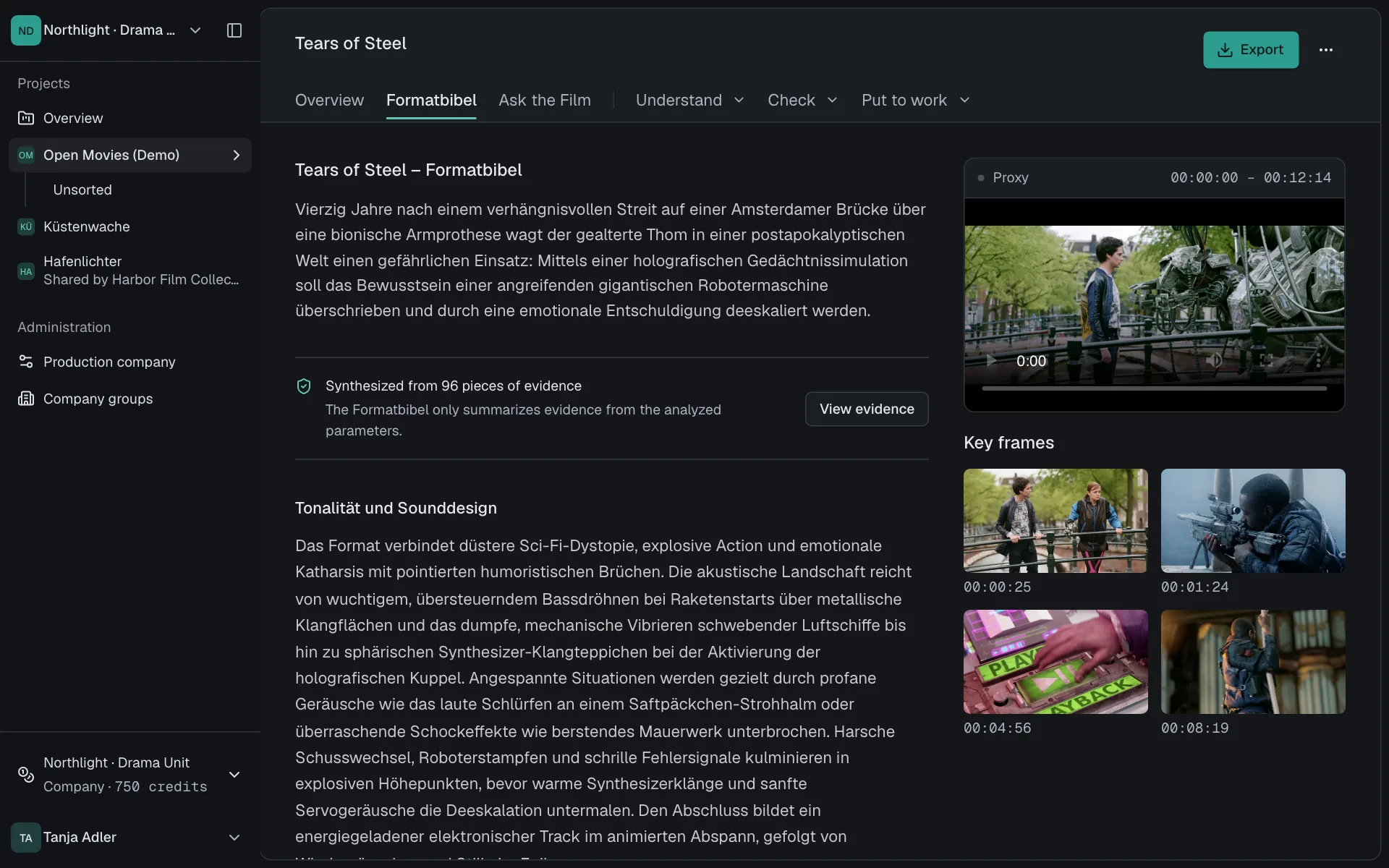
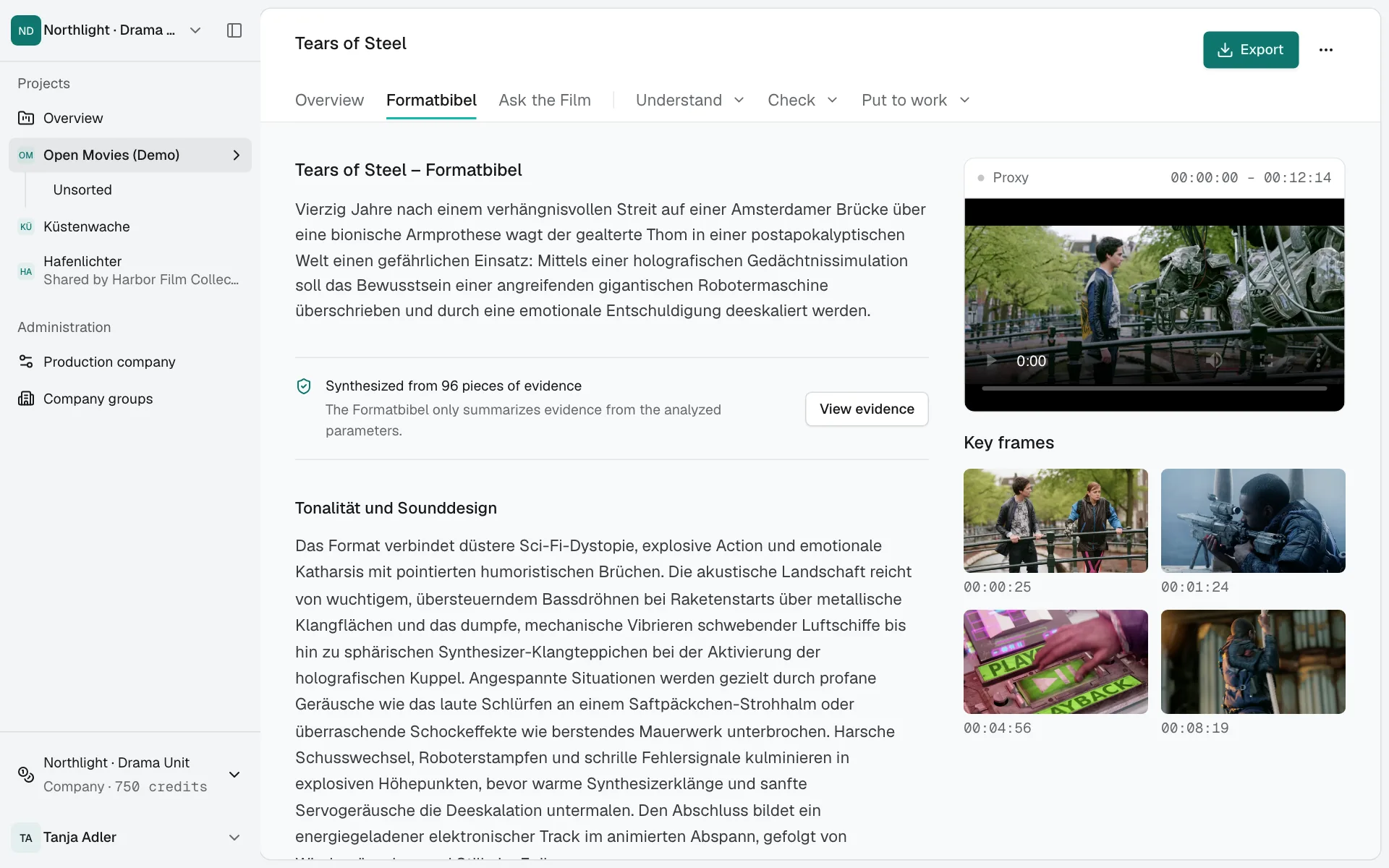
The Formatbibel is built from Belege.

It summarises only what the analyses found in the episode: format and structure, visual style, characters and tempo.

  • A synthesis of every Beleg in the episode
  • One click opens the Belege behind it
  • Export as DOCX and JSON
The Formatbibel of an episode with its sections.

Stills, scaled down: Tears of Steel (2012), (CC) Blender Foundation | mango.blender.org, CC BY 3.0. Film credits

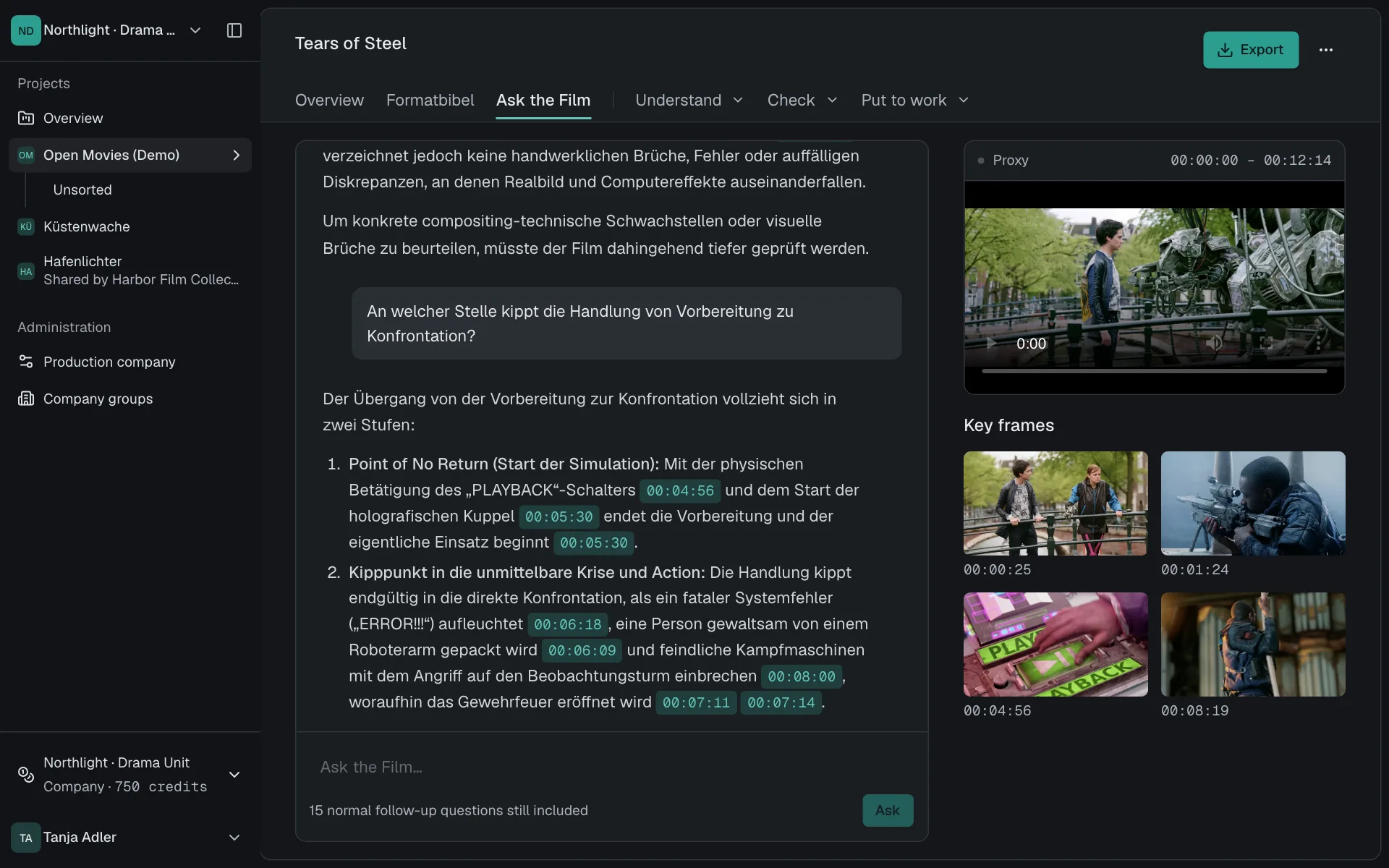
Ask the film.

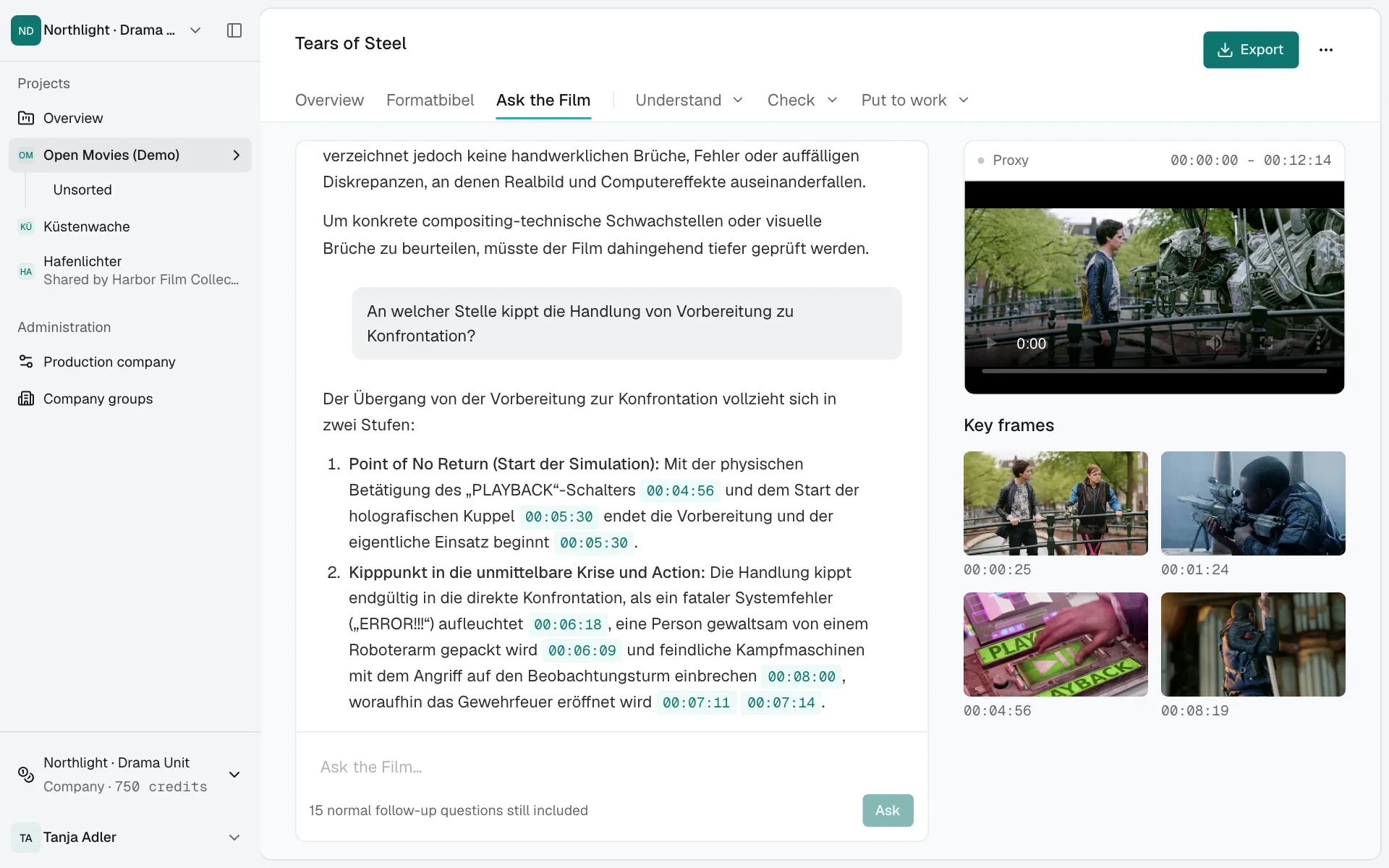
Ask the Film answers questions about the selected Fassung from its analysis. Every answer links to its place in the material.

  • Answers with linked Timecodes
  • Questions come included with every paid video analysis
  • On request, the answer watches the video again
Ask the Film: two questions about the episode, answered with Timecodes.

Stills, scaled down: Tears of Steel (2012), (CC) Blender Foundation | mango.blender.org, CC BY 3.0. Film credits

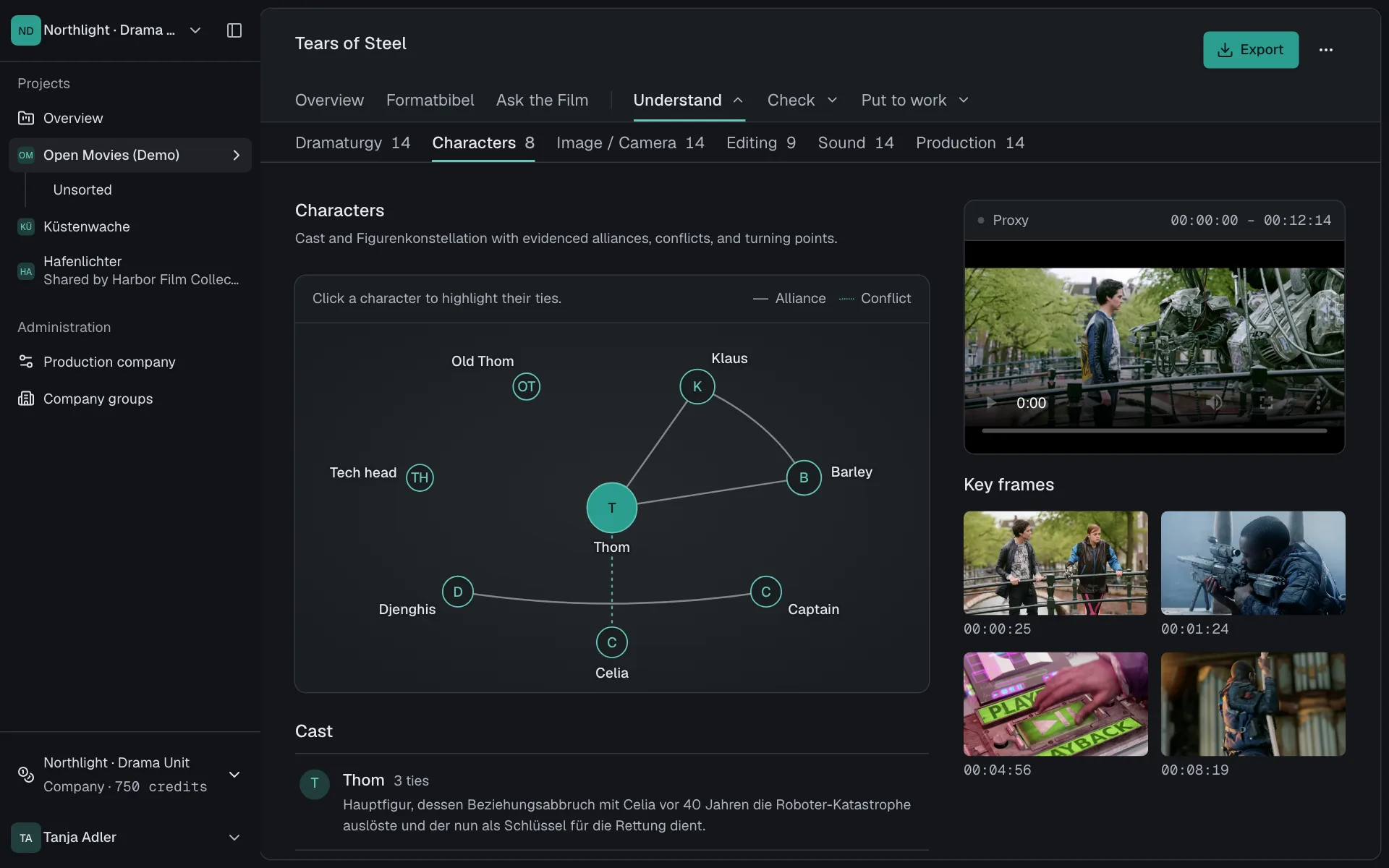
Who sides with whom, and from when.

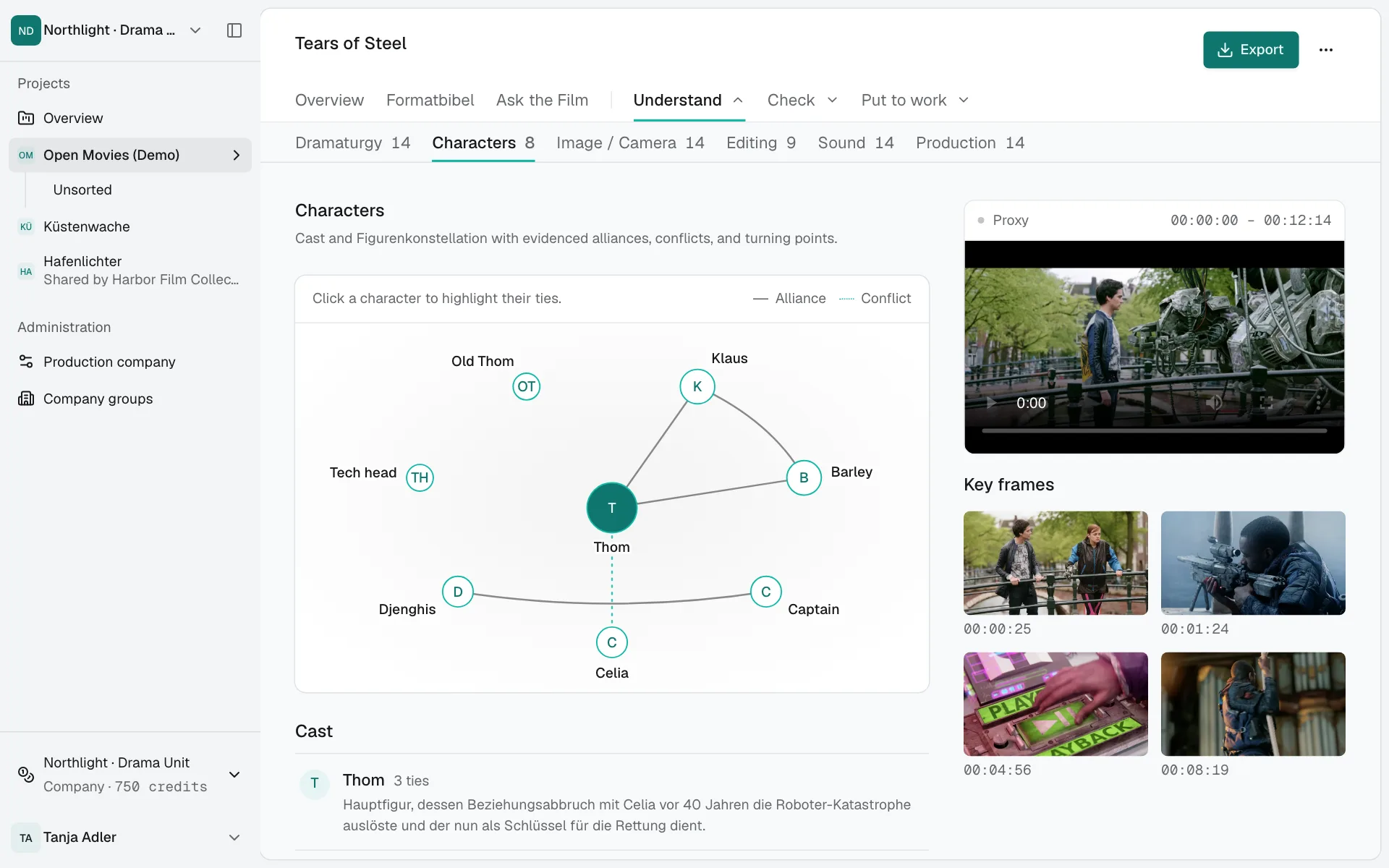
The character constellation shows the episode's alliances and conflicts. Every connection has a Beleg.

  • Solid lines for alliances, dashed for conflicts
  • Character list with descriptions and connections
  • Turning points with Timecodes
ThomTThomKlausKBarleyBCaptainCCeliaCDjenghisDTech headTHOld ThomOT
Character constellation of Tears of Steel, as the analysis found itAllianceConflict

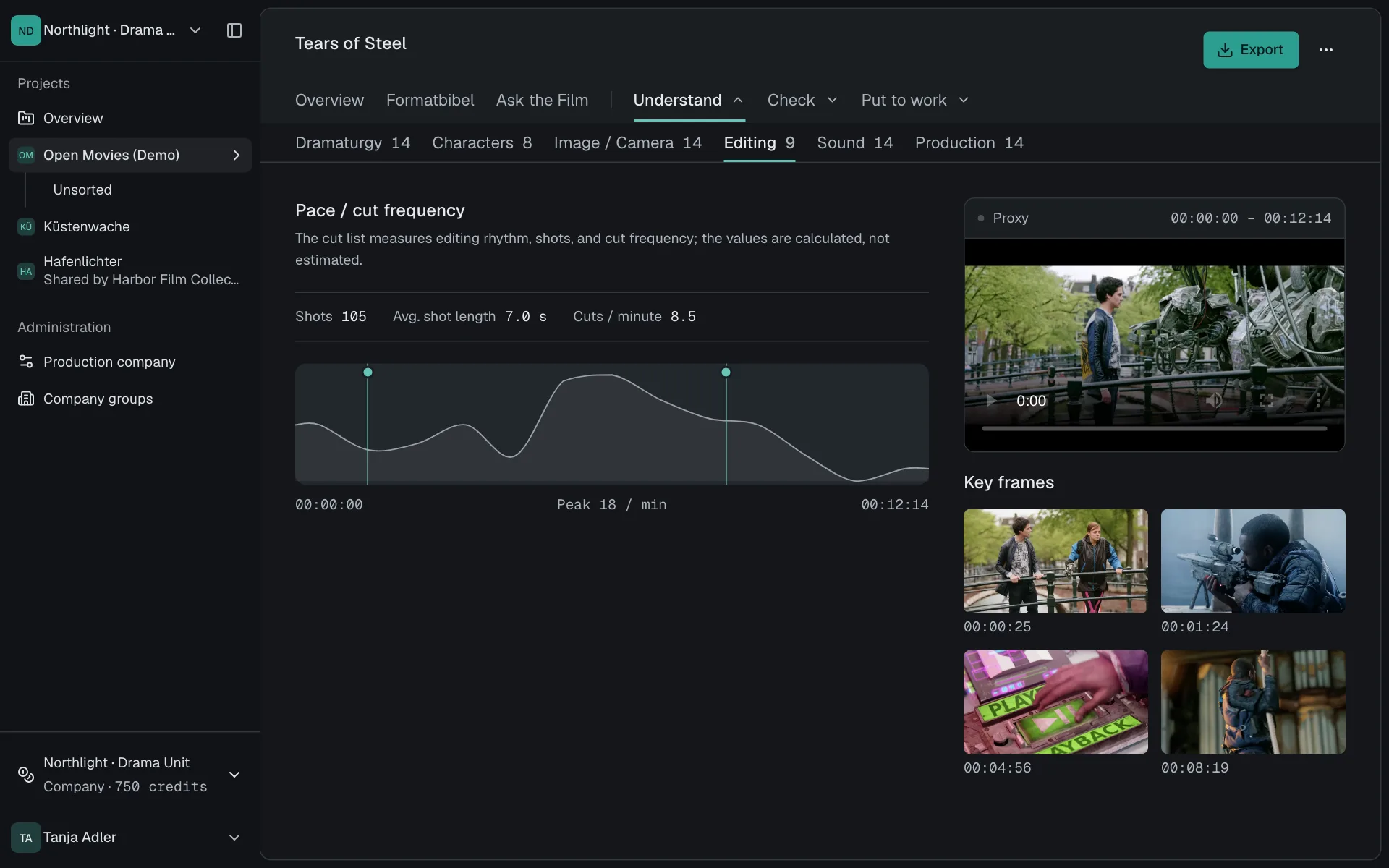
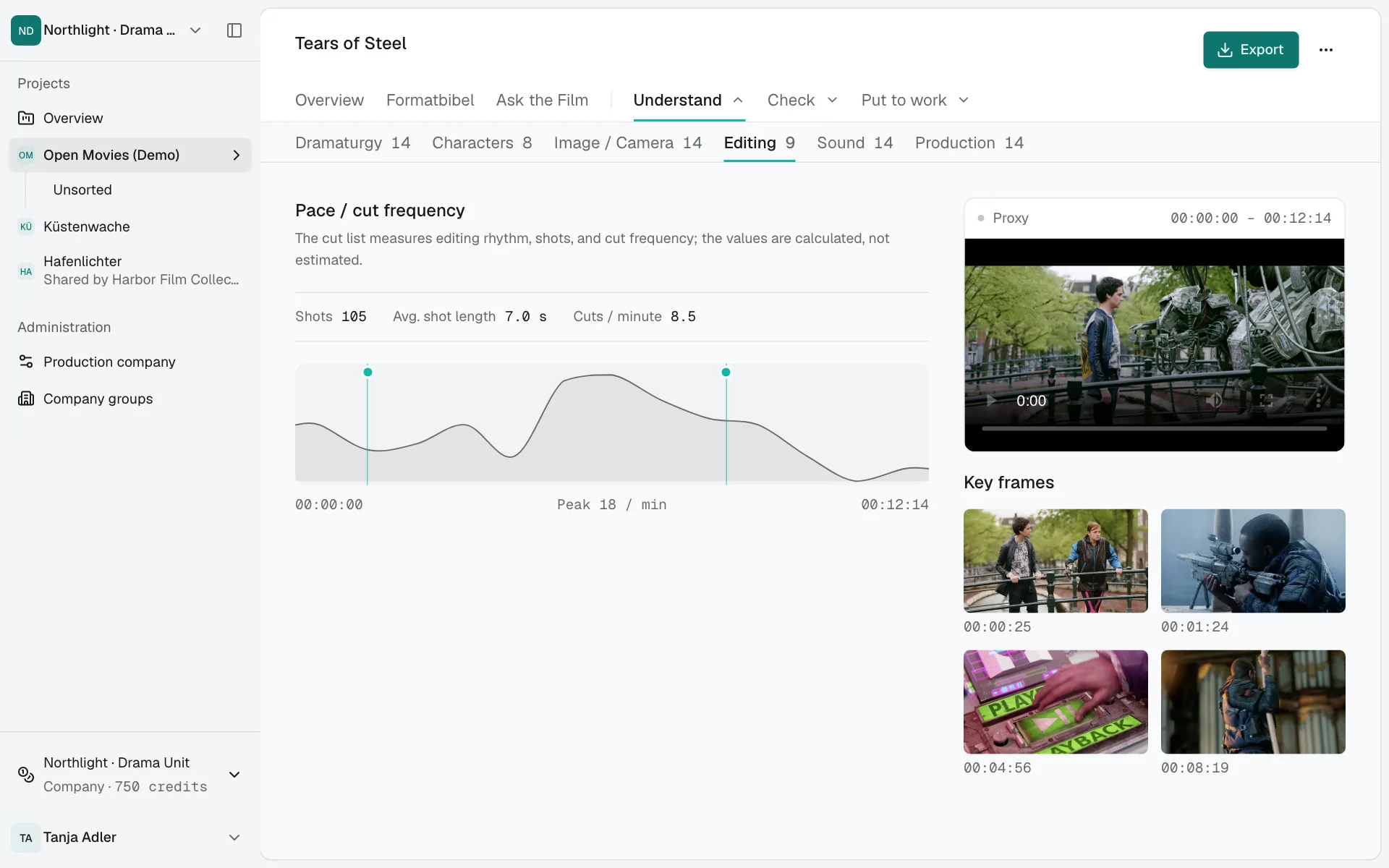
Tempo, measured rather than guessed.

The cut list measures shots, their length and the cutting rate across the whole episode.

  • A tempo curve across the full runtime
  • Shots, average length, cuts per minute
  • Belege on montage and transitions
The editing chapter with its tempo curve and Belege.

Stills, scaled down: Tears of Steel (2012), (CC) Blender Foundation | mango.blender.org, CC BY 3.0. Film credits

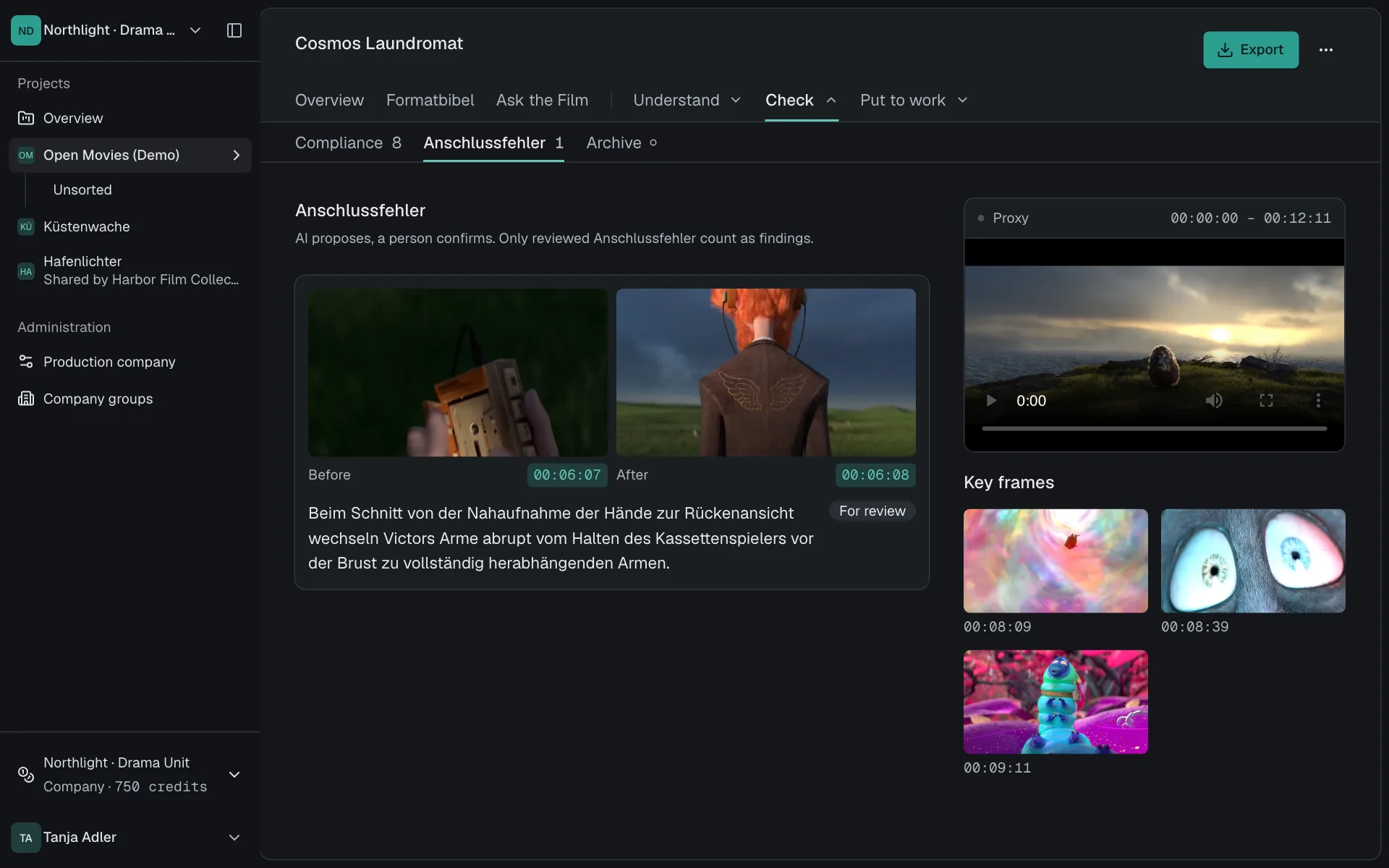
Checked before sign-off.

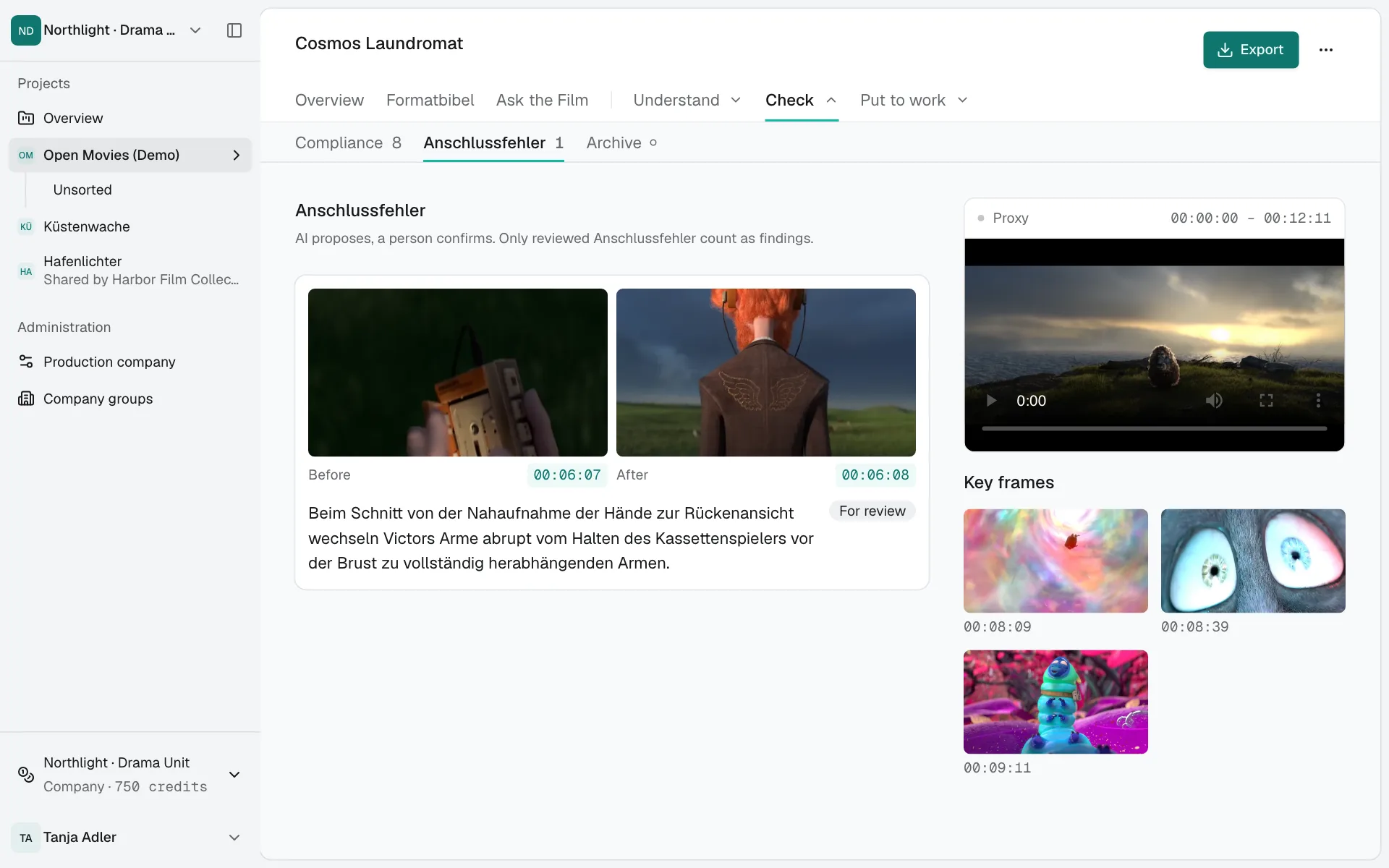
Continuity errors appear with the frame before and after, compliance notes with their Beleg. The decision stays with you.

  • Continuity errors with both frames
  • Notes on brands, youth protection and rights
  • A review task, not legal clearance
The production chapter with continuity errors and their frames.

Stills, scaled down: Cosmos Laundromat (2015), (CC) Blender Foundation | gooseberry.blender.org, CC BY 3.0. Film credits

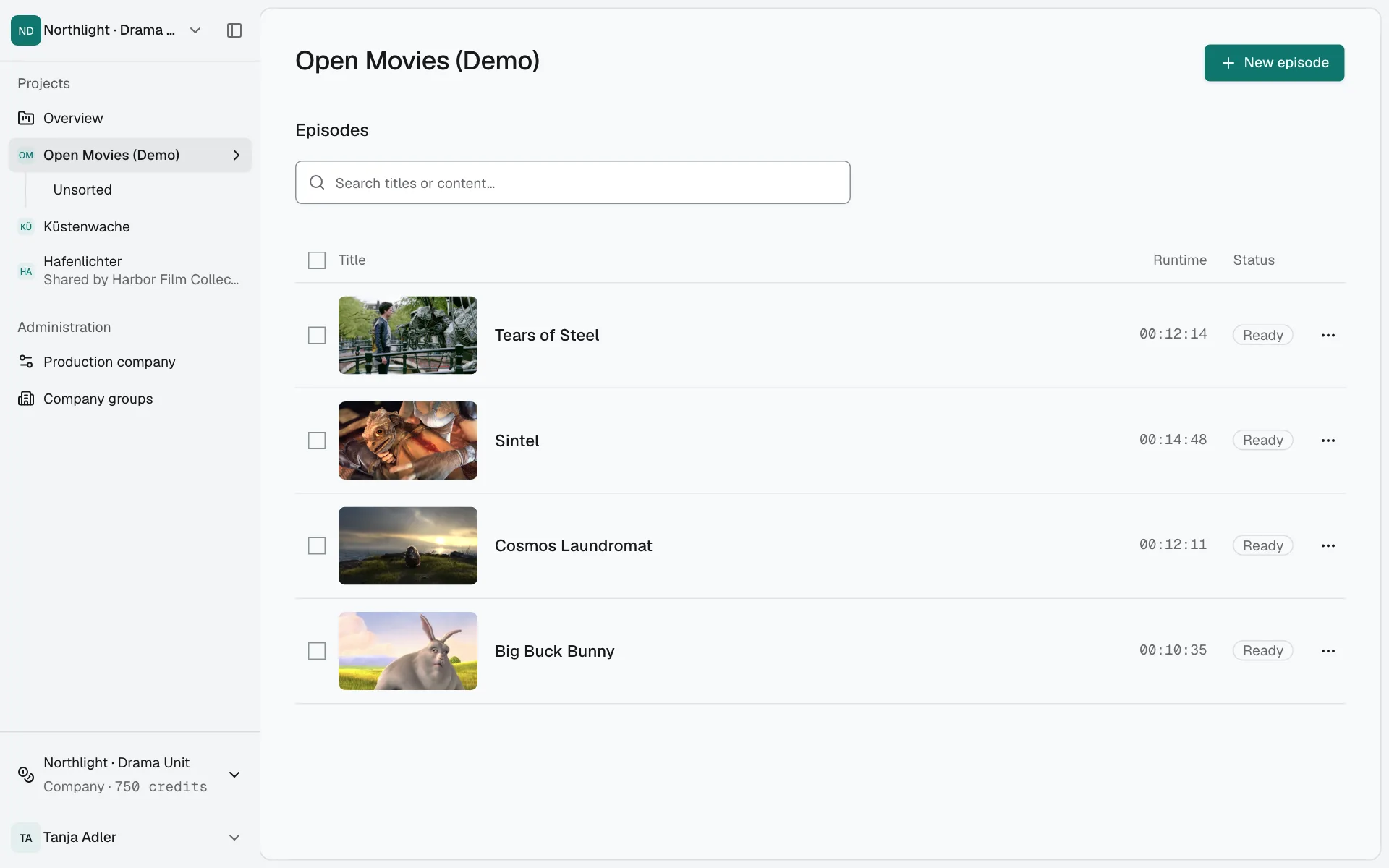
One episode or the whole archive.

Search the current project or every project you can access. Shared episodes are included; other material stays protected.

  • Search this project or all you can access
  • Hits name project, owner and Fassung
  • Shared material stays marked
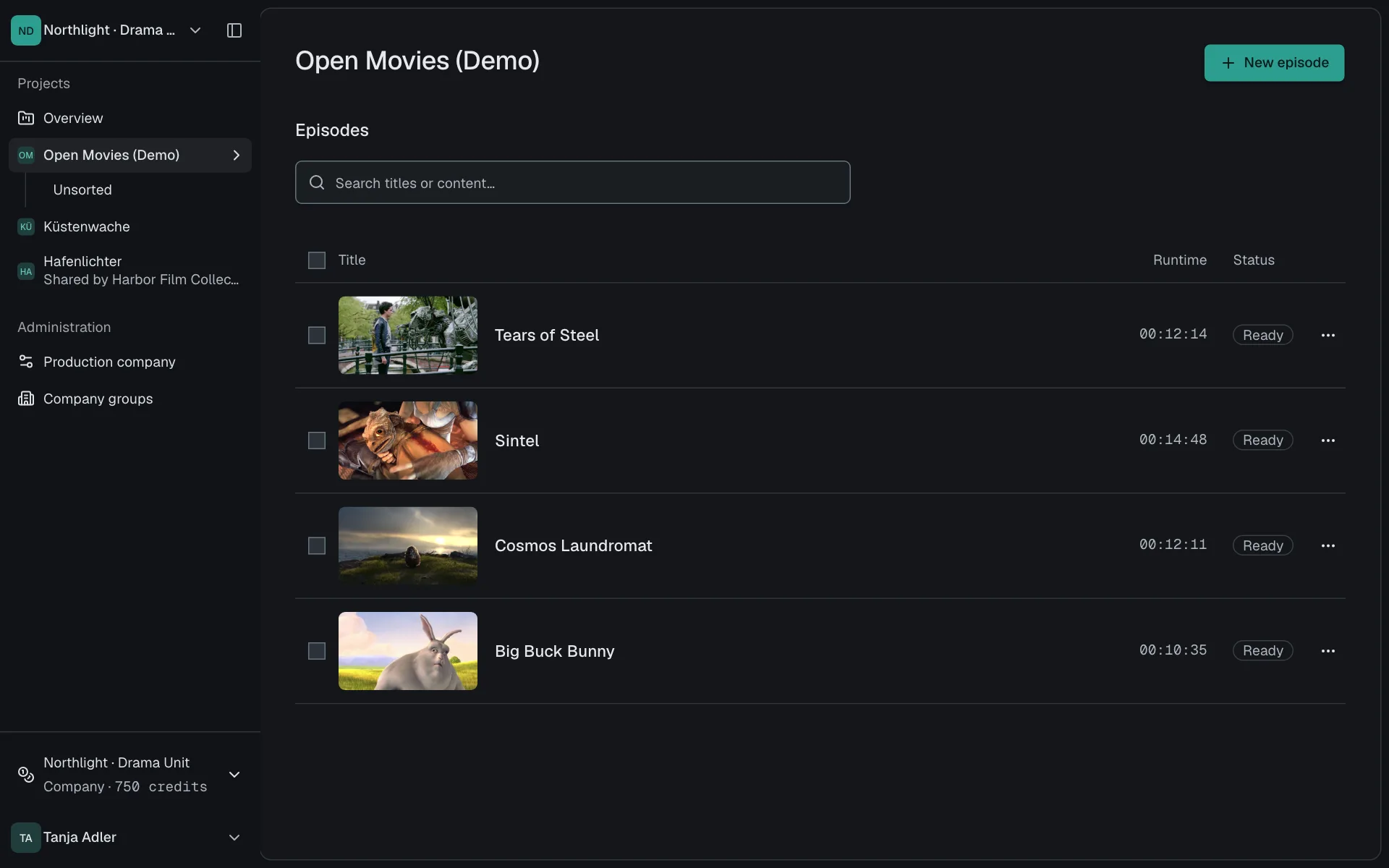
A project with four analysed films and their status.

Stills, scaled down, from four Blender Foundation open movies, CC BY 3.0. Film credits

From file to Formatbibel.

Five steps in the browser. Your production company is activated once; after that you work without installing anything.

  1. Upload

    Add MP4 or MOV to the project. Only a proxy reaches the model for analysis.

  2. Start

    Choose functions, check price and payer, start the order.

  3. Analyse

    Progress shows the real steps. Finished chapters are readable straight away.

  4. Check

    Verify each finding against its frame and in the player.

  5. Export

    Formatbibel and single results as DOCX or JSON.

Three ways to a Formatbibel.

Screening with notes is thorough but slow. A general AI chat is fast but can't be checked. screencurve brings the two together.

screencurveWith evidence

Where does a finding come from?
From Belege with Timecode and frame
How do I check it?
One click opens the place in the player
What does a new question cost?
An answer from the existing analysis
Where is the material?
In the EU, separated per production company

Screening with notes

Where does a finding come from?
From notes and memory
How do I check it?
Screen the episode again
What does a new question cost?
Another screening
Where is the material?
On drives and in inboxes

General AI chat

Where does a finding come from?
From the model, with no source
How do I check it?
Hardly, the source is missing
What does a new question cost?
An answer without evidence
Where is the material?
With the provider in question

Your material stays protected.

Only the proxy reaches the model. Storage and model processing stay in the EU, content never trains models, and production companies stay strictly separated.

Only the proxy reaches the model

The analysis works from a compact viewing copy. Only that copy goes to the model.

Processing in the EU

Proxies, stills and results are processed and stored in the EU.

No training

Your content is never used to train models.

Tenant separation

Each production company sees only its own projects and shares.

Roles and shares

Access comes only from project membership or an explicit share, separated into read, export and collaborate.

Every request checked

The server checks project access and shares on every request, downloads included.

Results that keep working.

Every analysis can be exported: as a document for editorial and sales, as data for your own systems. The JSON follows a versioned schema.

Episode
  • FormatbibelDOCX
  • Episode exportJSON
  • Single resultsDOCX · JSON
  • DescriptorsCSV
  • Series FormatbibelDOCX
  • Market potential checkDOCX

Frequently asked questions

What production companies want to know before the first upload.

How long does an analysis take?
It depends on runtime and the functions you choose. In our October 2026 measurement, a 52-minute episode with all ten functions was done after about 33 minutes. Finished chapters are readable before that.
Which files can I upload?
Video files as MP4 or MOV. Scripts and references go into the project as material.
What does an analysis cost?
screencurve charges credits per hour of material and function. Before every start you see the functions, the total price and the paying account. Reading, searching and exporting are free.
Is my material used for training?
No. Your content never trains models.
Who can see my projects?
Members of your production company with project access, and people you explicitly share a project or episode with. Group administration alone opens no material.
How precise are the Timecodes?
Every Beleg names the Timecode and frame of its Fassung. If your file's start Timecode differs, you adjust it per Fassung.

Try screencurve on one episode.

One finished episode is enough. We activate your production company and support the first analysis.